Say it.
Your phone does it.
Phone Agent works the phone in your hand: your apps, already signed in. It opens them, reads the screen, and taps, types and scrolls until the job is done. There is no second phone in a data centre.
Any app on Android. Any website on iPhone. Android Auto and CarPlay.
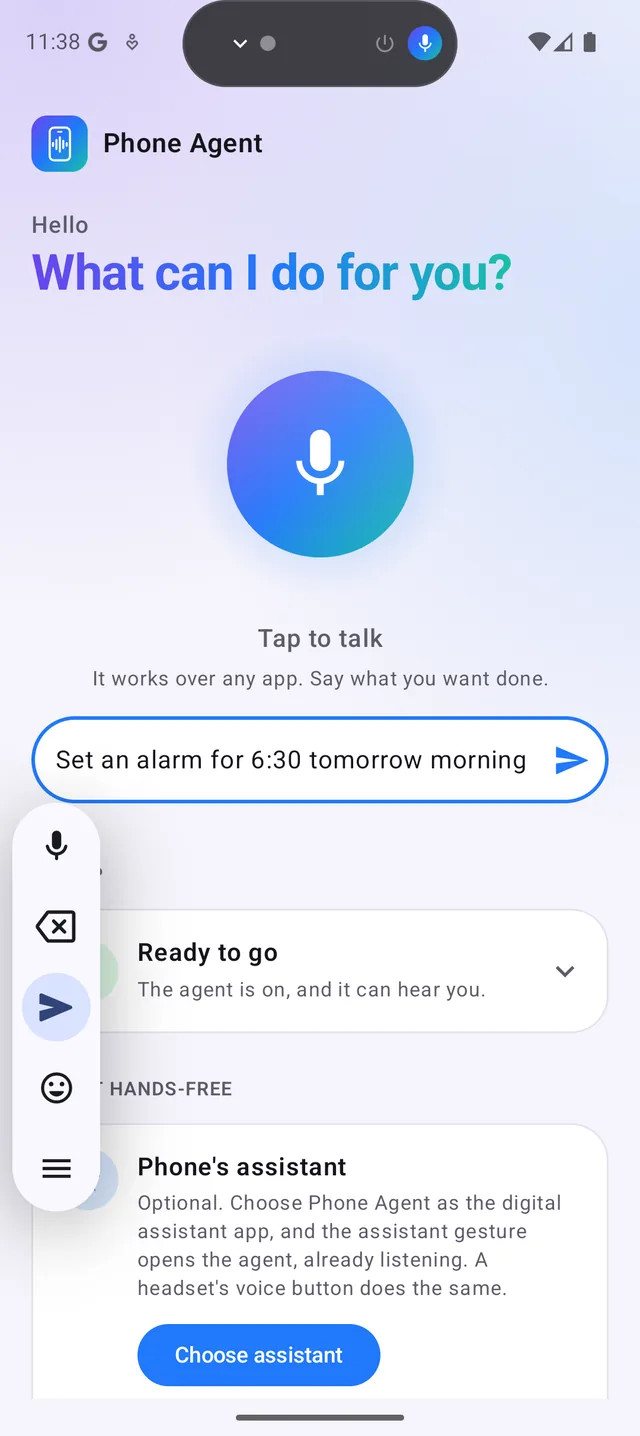
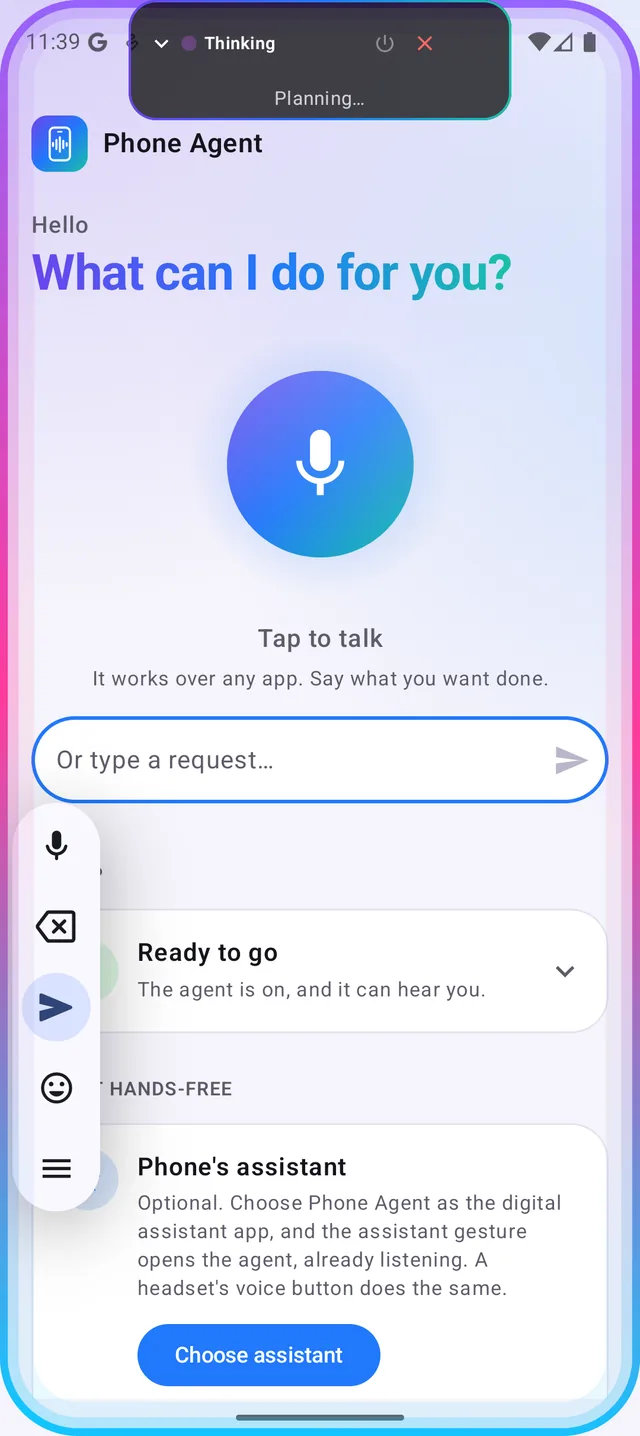
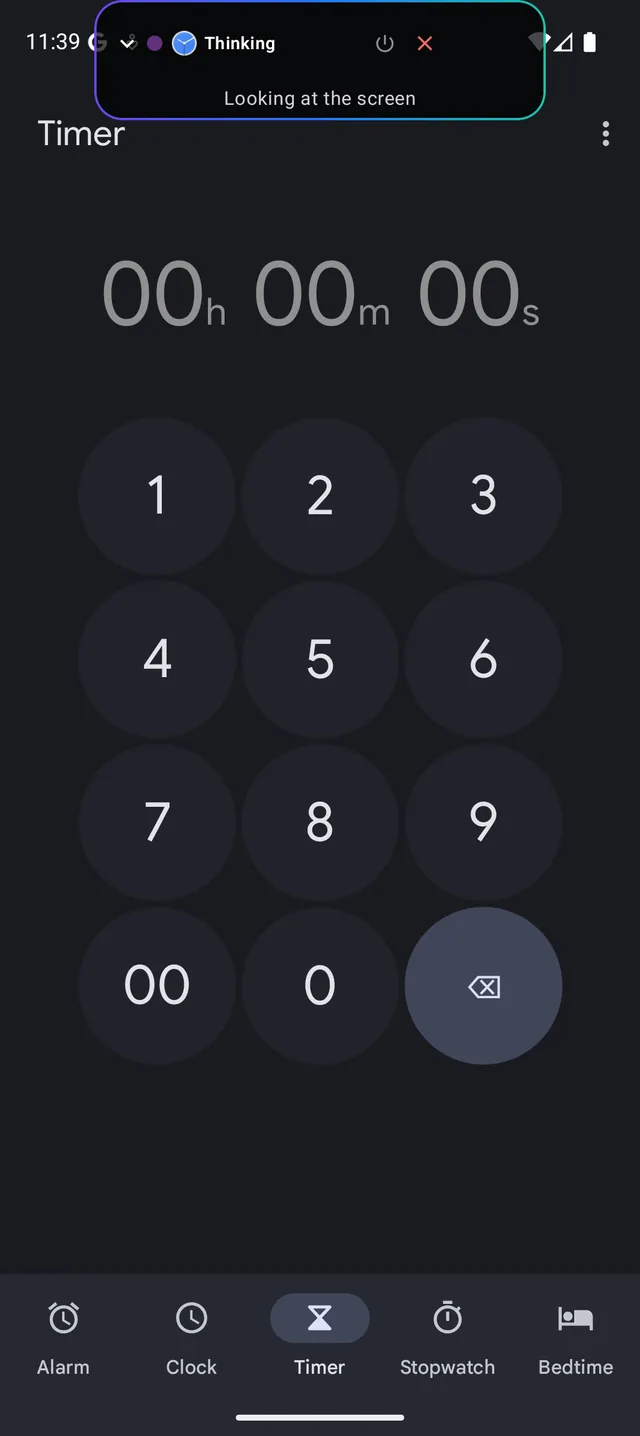
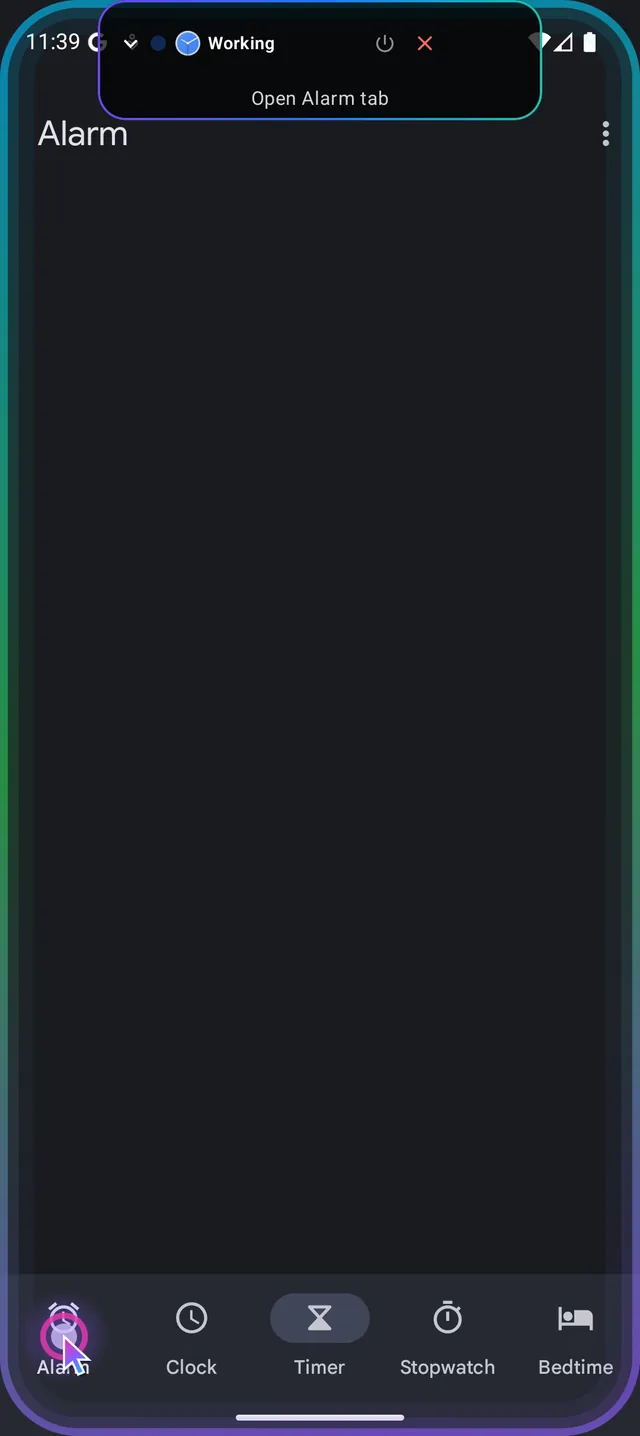
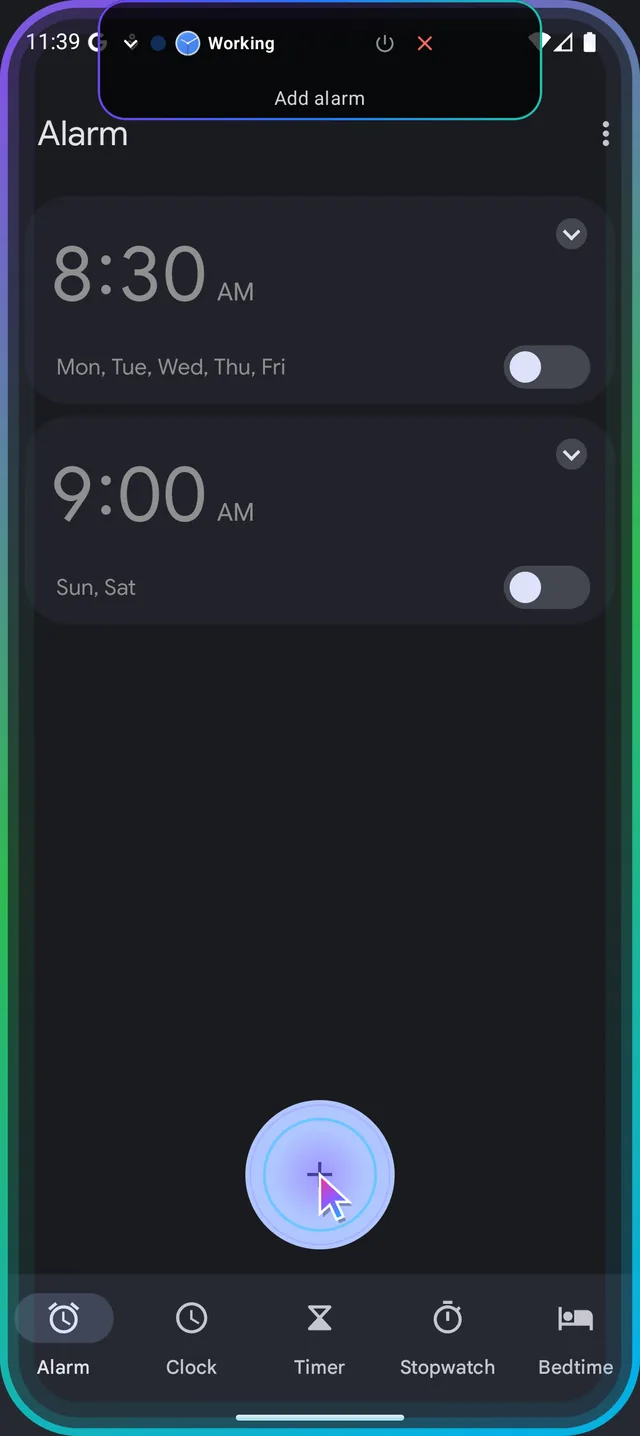
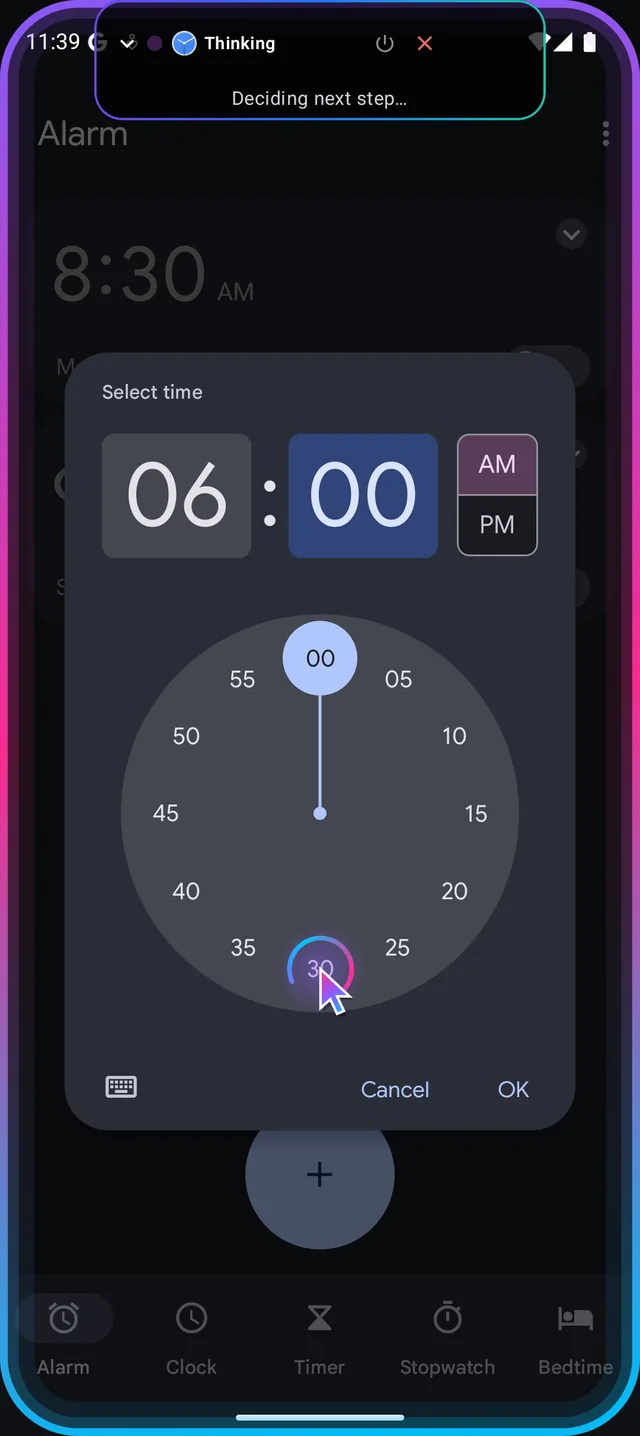
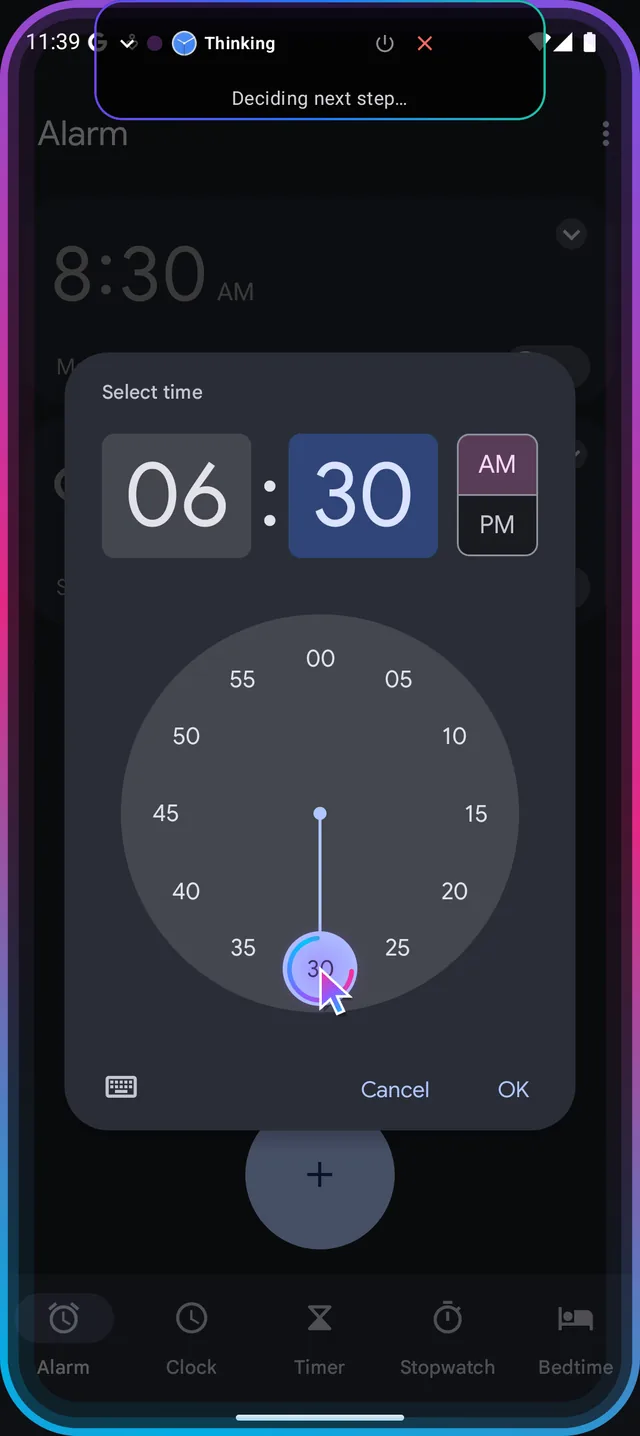
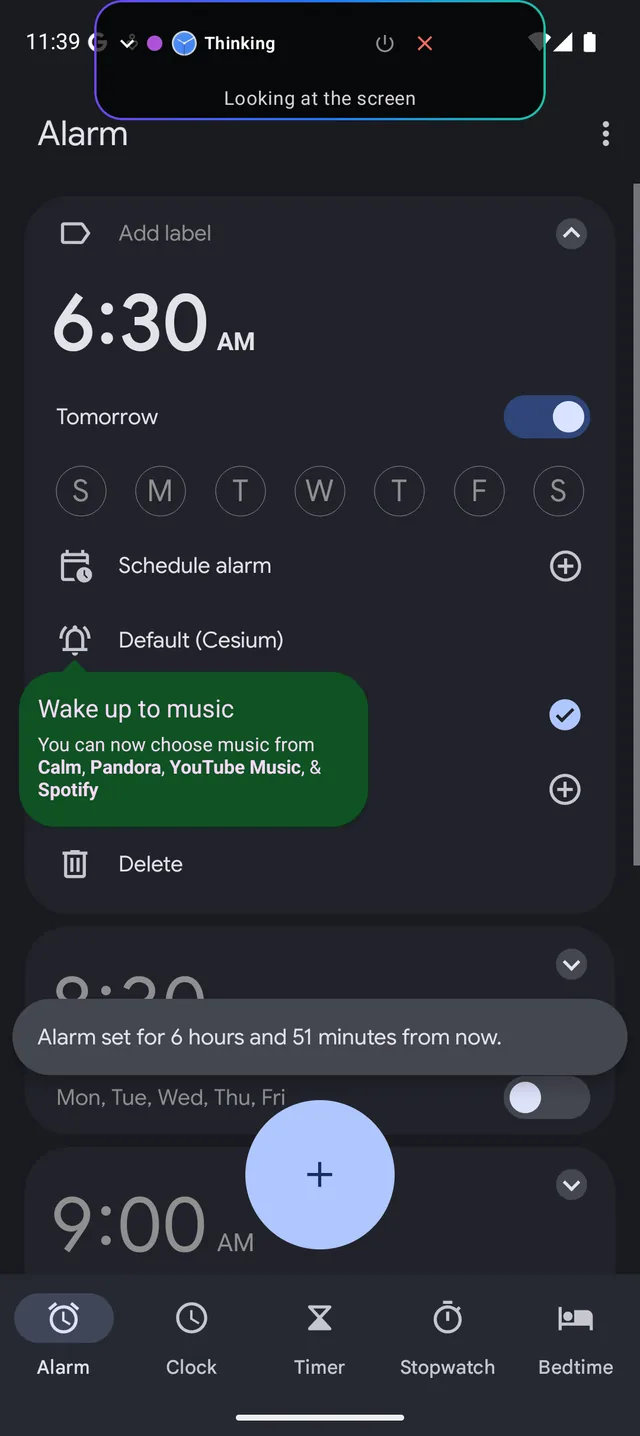
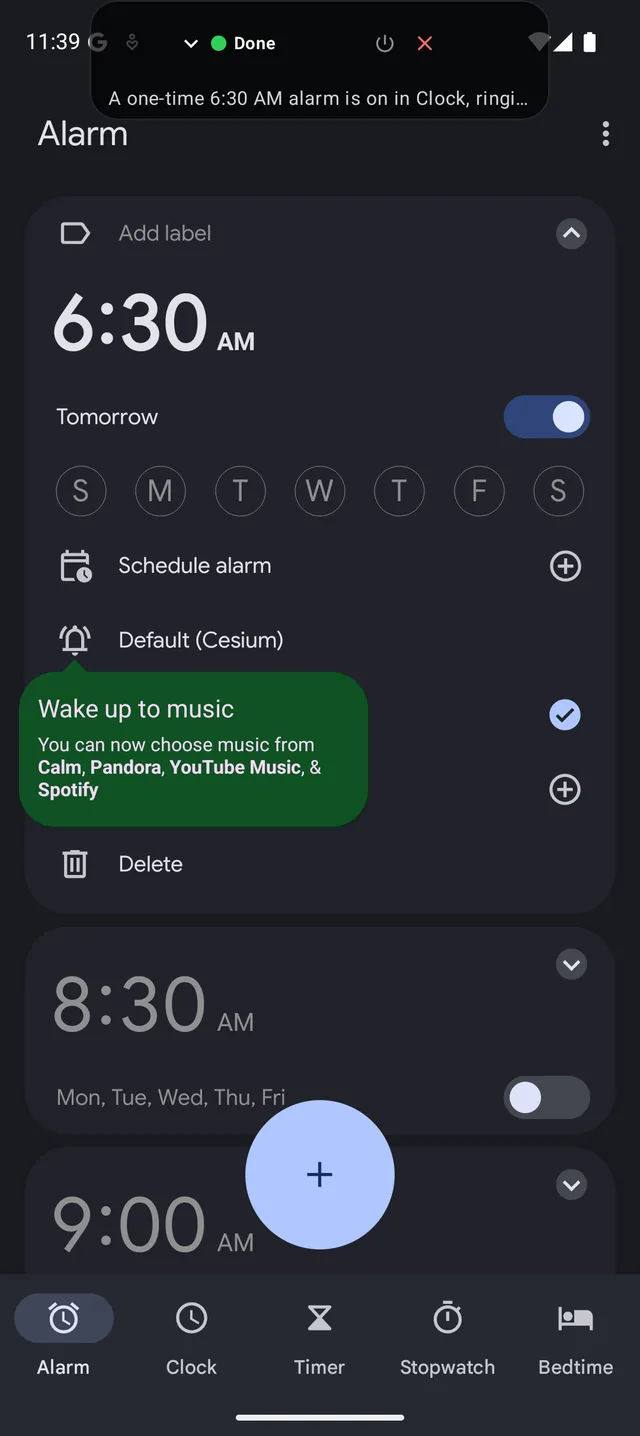
“Set an alarm for 6:30 tomorrow morning”
Screens recorded from the Android app. Nothing here is a mock-up.
It shops around, so you don’t have to.
Prices, carts and menus in the delivery apps you already use, signed in as you. It stops before paying.
“Is a dozen eggs cheaper on Zepto or Blinkit?”
- Zepto
- Blinkit
- Opens Zepto and searches for a dozen eggs
- Notes the price, then does the same in Blinkit
- Compares like for like
Zepto, ₹110 against ₹120 on Blinkit. It adds that delivery fees weren’t compared.
From a message to a moving map.
It carries an address out of one app and into another, or checks what a ride costs before you commit.
“Get the address from Sofia’s last message and start directions”
- Messages
- Maps
- Opens Messages and finds the address Sofia sent
- Carries it into Maps
- Starts navigation
Turn-by-turn directions to 127 Orchard St are running.
Something to watch. Something to hear.
It finds what is on, picks from the results and presses play, ads and prompts included.
“What movies are showing tonight on District?”
- District
- Opens District and dismisses its notification prompt
- Goes to Movies
- Scrolls and reads the full list
More than 30 films, read out by name. It says it didn’t check each showtime.
The small things, done by asking.
A text, a timer, a setting, a quick answer. The jobs that are only a few taps, without the taps.
“Tell Dad I’m running 10 minutes late”
- Messages
- Starts a new chat and finds Dad
- Types the message
- Sends it
Sent to Dad.
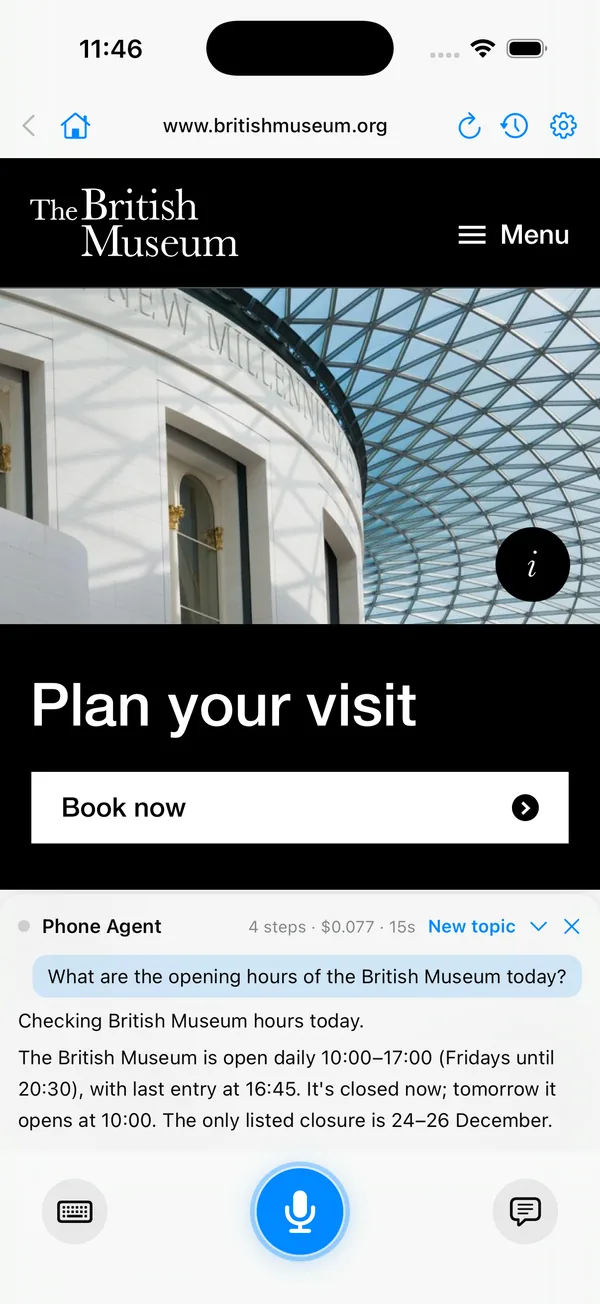
On iPhone it works the web. Sign in once.
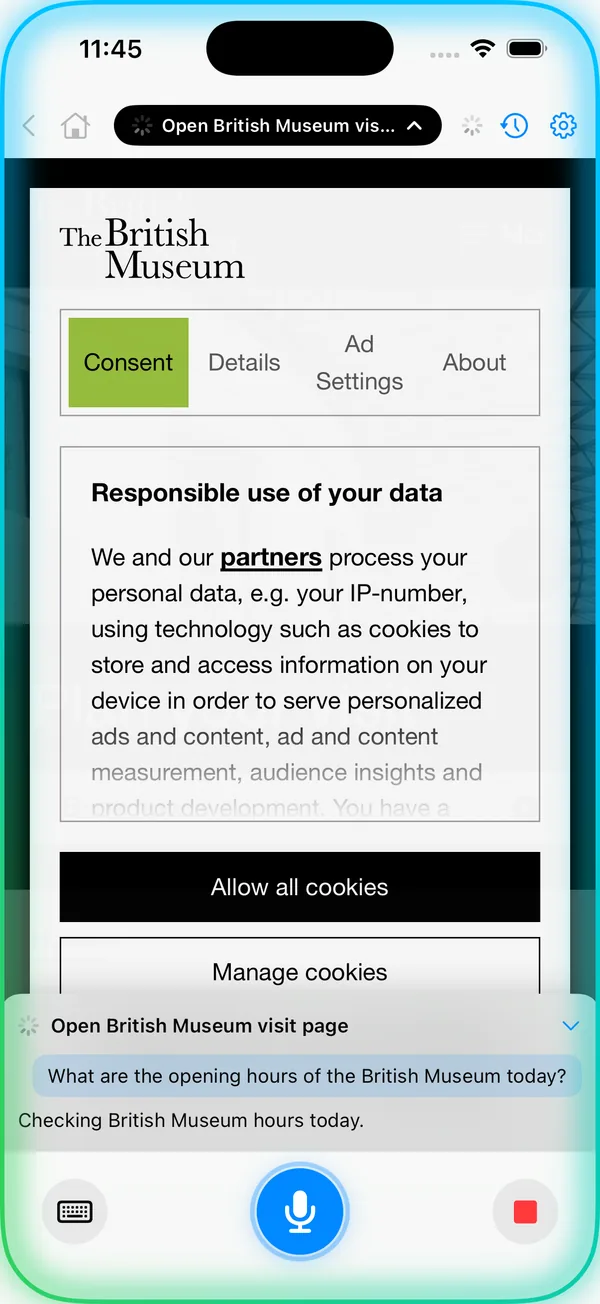
Apps can’t be operated on iPhone, so it uses websites in its own browser. A site you signed in to stays signed in for next time.
“Add a well rated USB-C fast charger under 1000 rupees to my cart on amazon.in”
- amazon.in
- Opens amazon.in, still signed in from last time
- Reads the results and picks a 4.6 star charger
- Adds it to the cart
A ₹699 charger is in the cart. You signed in once; it never saw the password.
And it writes to your calendar and reminders.
What it finds on the web can end up where you will see it again.
“Find a good vegetarian lasagna recipe and add the ingredients to my reminders”
- Web
- Reminders
- Searches the web and opens a well rated recipe
- Reads the ingredients
- Adds each one to Reminders with its quantity
18 ingredients are in Reminders, with a link back to the recipe.
Your phone does the work. Not a copy of it in the cloud.
Some assistants rent you a “cloud phone”: a second phone in a data centre that you sign in to all over again. Phone Agent has no such thing. Every tap happens on the phone you are holding.
A cloud phone
- A separate phone on someone else’s servers
- You sign in to each of your apps again, over there
- Your passwords and sessions live off your phone
- Apps can treat it as a new, unknown device
- You see a stream of it, if anything
Phone Agent
- The phone in your hand, and nothing else
- Your own apps, signed in as they already are
- Your passwords and signed-in sessions stay on the phone
- To your apps it is your usual device, because it is
- You watch every tap, and can stop it at any moment
What does leave the phone: while a task runs, what is on the screen is sent to the AI model that decides the next step. The screen is not sent when no task is running.
Other assistants tell you how. This one does it.
A chat assistant ends with an answer. One with “integrations” can act, but only in the few services someone connected for it. Phone Agent needs neither: on Android, if you can do it by tapping, it can too. That includes carrying something from one app into another.
One sentence, several apps
“Check WhatsApp from Daniel and send the photos he shared today to Dad”
- WhatsAppOpens Daniel’s chat and finds today’s photos
- WhatsAppSelects them and taps Forward
- WhatsAppPicks Dad and sends
“Find the electricity bill in my email and send it to the landlord”
- EmailSearches your inbox and opens the latest bill
- EmailShares the attached PDF
- MessagesSends it to your landlord’s chat
“Get the address from Sofia’s last message and start directions”
- MessagesReads Sofia’s last message and takes the address
- MapsSearches for it
- MapsStarts directions
“Compare these headphones on my two shopping apps and add the cheaper one to the cart”
- Shop oneFinds the headphones and notes the price
- Shop twoFinds the same model and compares
- The cheaperAdds it to the cart and opens checkout
And the everyday ones
“Tell Mom I’m running ten minutes late”
Opens your messaging app, finds her chat, types it and sends it.
Done“Set an alarm for 6:30 tomorrow morning”
Opens Clock, adds the alarm, sets the time and checks it is on.
Done“Turn on dark mode”
Goes into Settings, finds the switch and flips it.
Done“Cancel my four o’clock and tell everyone invited”
Deletes the event in your calendar, then messages each person on it.
Done“Post the last photo I took to my story”
Opens your social app, picks the newest photo from the gallery and posts it.
Done“Order my usual dinner”
Opens your food app, fills the cart and goes to checkout. Paying is left to you.
Your turn to pay“Book four tickets for tonight, seats together”
Compares shows in your ticketing apps, asks you to pick, selects the seats. Paying is left to you.
Your turn to pay
These are examples, not a list of supported apps: there isn’t one. Nothing is built for a particular app, so it works with the ones you have. On iPhone, where apps can’t be operated, it acts on websites instead.
Nothing is set up per app. It works each one out as it goes.
You ask
Tap the microphone, use your phone’s assistant gesture, or type. One sentence, the way you would ask a person.
It does the work
It plans the task, opens the right app and works it like you would. A glow around the screen and a moving cursor show what it is doing.
It comes back to you
With the answer, spoken and on screen. Or with a question, when there is a real choice to make. Or with the phone, when it is time to pay.
It uses the apps you already have.
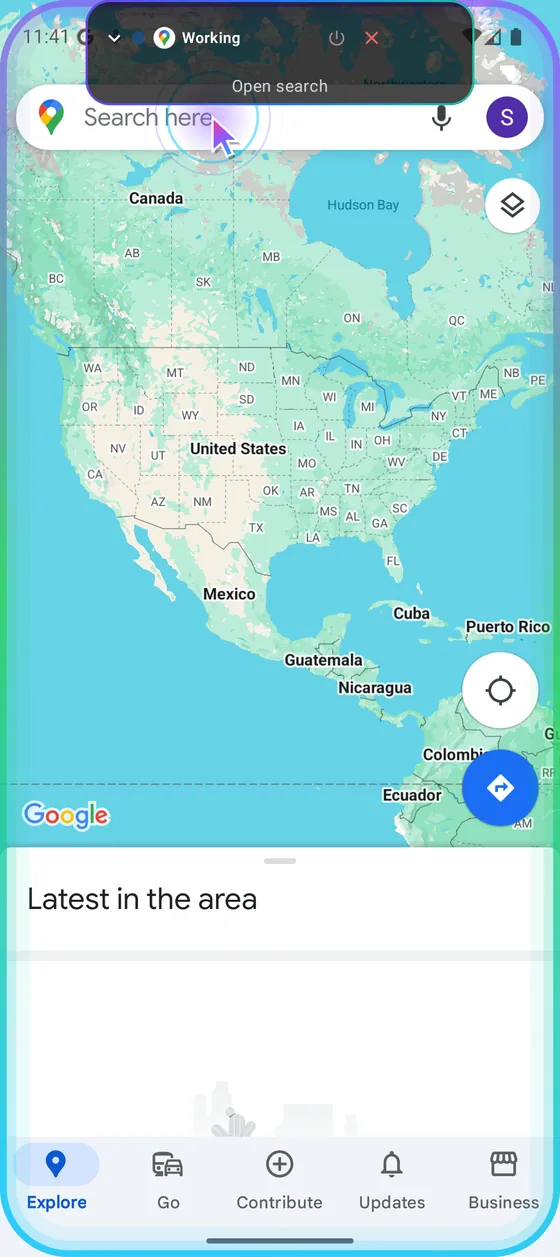
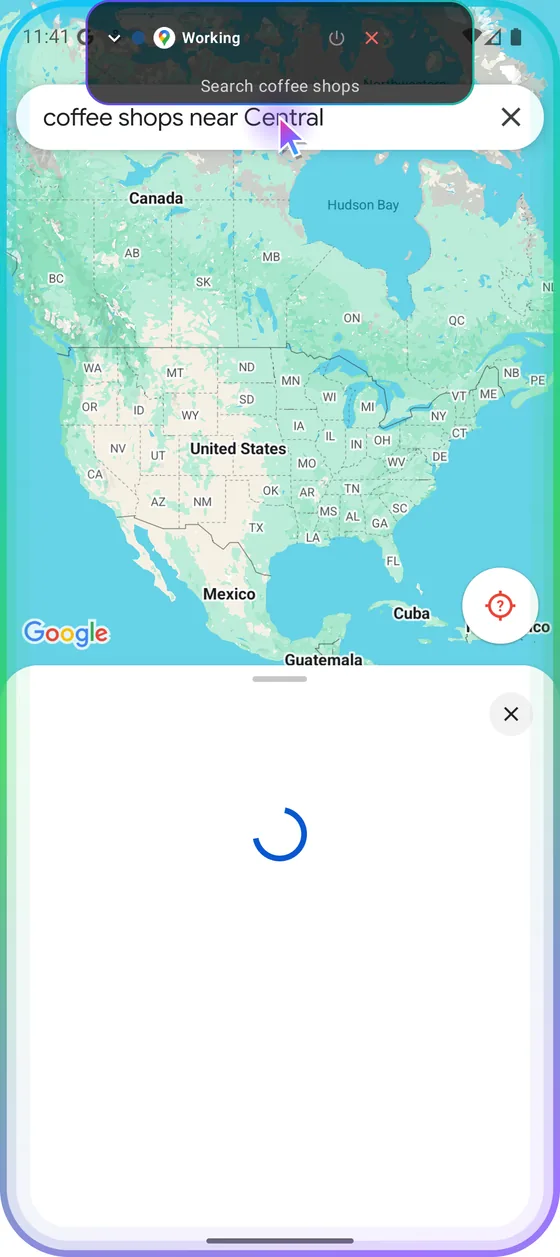
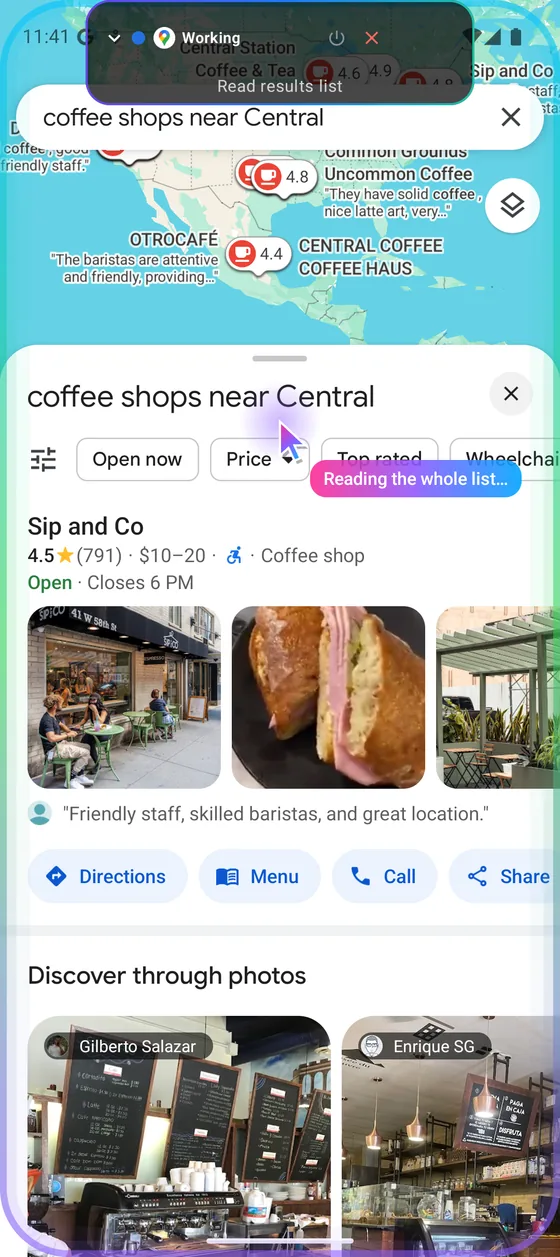
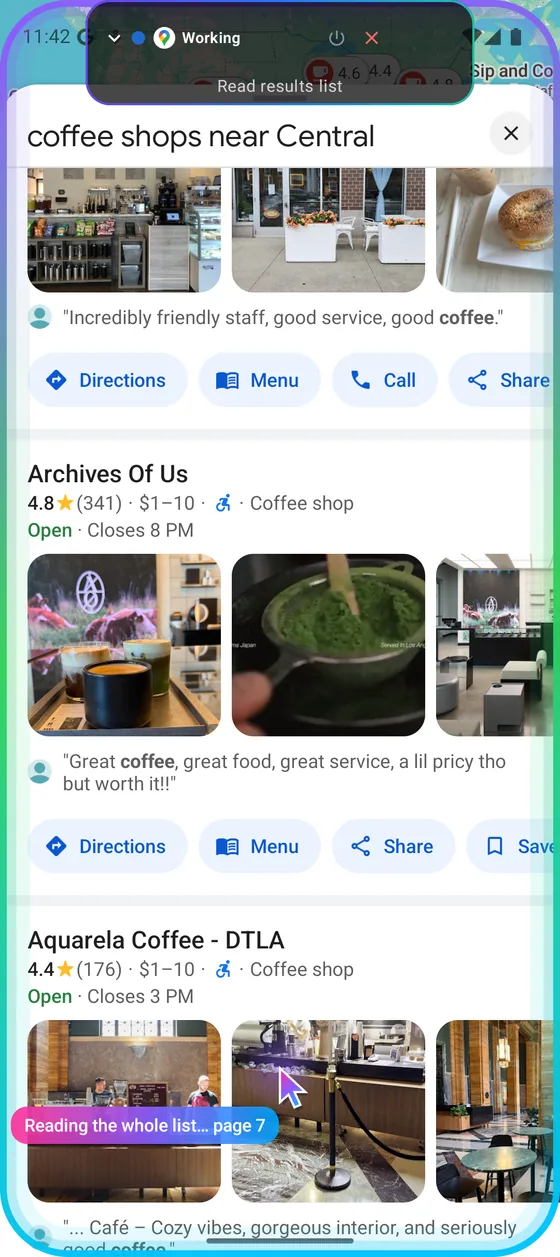
“Find a well rated coffee shop near Central Park and show me directions”
Recorded in Google Maps. It searches, then reads the whole results list before choosing, so it is not just picking whatever is at the top.
- “Book four tickets for tonight, seats together”
Books, up to the payment
It checks your ticketing apps, compares shows and seats, asks you to pick, and stops at the payment screen.
- “When does it close?”
Answers in one sentence
The answer is spoken, short enough to hear while you are doing something else. A card on screen has the detail, with buttons to call or get directions.
- “Remember I prefer aisle seats”
Remembers what you tell it
Preferences you mention are kept on the phone and used next time. You can see and delete them in Settings.
It does what you asked. The rest stays with you.
Payments and passwords are yours
Paying, card details, passwords and one-time codes are never done for you. It brings you to that screen and says what is left.
Stop it at any moment
Tap ✕ on the pill, or hold volume-down on Android. It stops where it is.
It asks when the choice is yours
Which show, which seat, which of two places with the same name. Options appear as cards and are read aloud; answer by tapping or by voice.
Every step is on record
History keeps each task with its plan, every step, how long it took and what it cost. You can also have it ask before sending, booking or deleting.
Ask from the driver’s seat.
Phone Agent has a screen on CarPlay and on Android Auto. You talk, it answers aloud.
- Opens already listening. The screen shows only what it is doing.
- On Android Auto it keeps working your phone’s apps while you drive, and reads its questions to you.
- On CarPlay with the iPhone locked, it can look things up on the web. Booking and forms wait until the app is open on the phone.
- Anything that needs your hands, like paying, waits until you are parked.
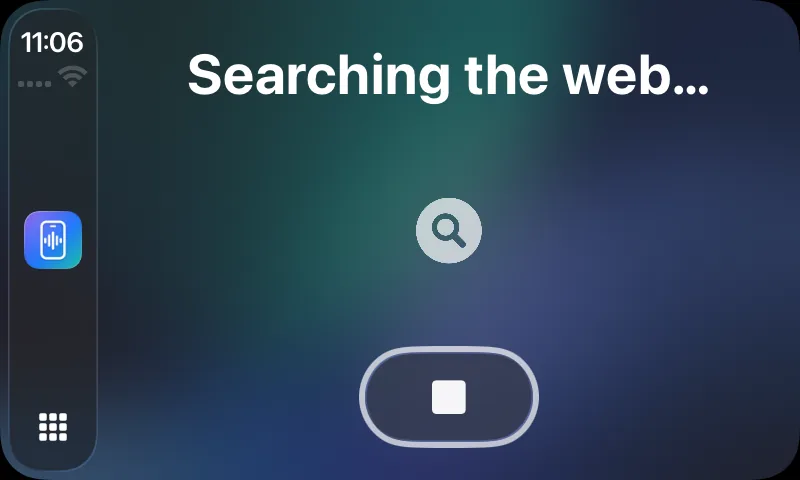
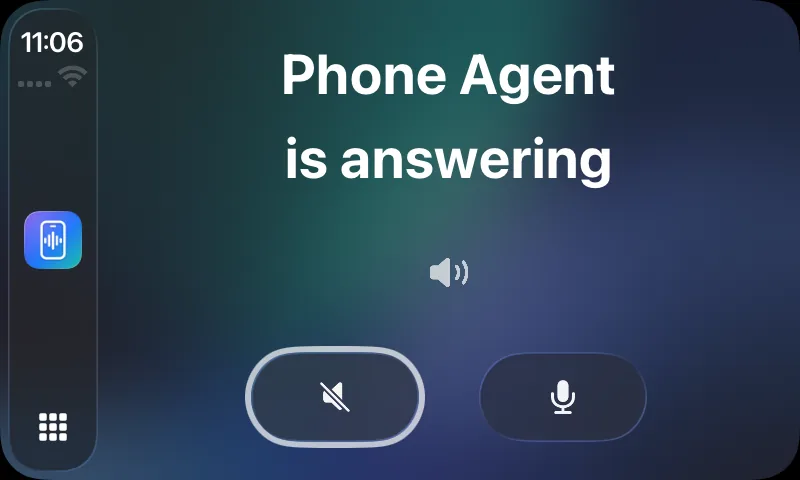
Two phones, two sets of rules.
Android lets an assistant work other apps. iOS does not, so on iPhone the agent works the web instead.
| What it can do | Android | iPhone |
|---|---|---|
| Work any installed app | ||
| Work any website | in your browser app | in its own browser |
| Calendar, reminders, contacts | through their apps | directly |
| Messages and email | through your apps | Drafts, for you to send |
| Start hands-free | Assistant gesture, headset button, Quick Settings tile | Siri, Shortcuts, Home Screen action |
| In the car | Android Auto | CarPlay |
Try asking.
Most of these end with something done, not something said.
- Check WhatsApp from Daniel and send the photos he shared today to Dad
- Find the electricity bill in my email and send it to the landlord
- Tell Mom I’m running ten minutes late
- Get the address from Sofia’s last message and start directions
- Reorder last week’s groceries and take me to the payment
- Cancel my four o’clock and tell everyone invited
- Reply yes to Sofia’s last email
- Book four movie tickets for tonight, seats together
- Post the last photo I took to my story
- Set an alarm for 6:30 tomorrow morning
- Save this number as the plumber
- Turn on dark mode and lower the brightness
Questions people ask first.
Does it run on a cloud phone?
No. There is no remote or virtual phone. The agent runs as an app on your own phone and works your own apps there, so you never sign in to anything on someone else’s machine. The one thing done off the phone is the thinking: while a task runs, the screen is sent to an AI model to decide the next step.
Is it watching my screen all the time?
No. It looks at the screen only while it is working on something you asked for, and it stops when the task ends or when you stop it.
What leaves my phone?
While a task runs, what is on the screen is sent to the AI model that decides the next step. Nothing is sent when no task is running.
Will it pay for things or type my passwords?
No. Payments, card details, passwords and one-time codes are always handed back to you. It takes a booking or an order as far as the payment screen and tells you what is left to do.
Which permissions does it need?
On Android: the accessibility service, which is how it reads and works other apps, and the microphone. Notifications are optional and only used for Android Auto. On iPhone: the microphone and speech recognition, plus calendar, reminders and contacts if you ask for those.
Why can’t the iPhone version use my other apps?
iOS does not let one app operate another. On iPhone, Phone Agent works on any website in its own browser, and has direct access to your calendar, reminders and contacts. It prepares messages and emails as drafts for you to send.
Why isn’t it on Google Play or the App Store?
It is distributed directly for now: an APK for Android and TestFlight for iPhone.
What does it cost?
The first five tasks are free. After that, Pro is $20 a month for 60 tasks and Max is $100 a month for 400, on Android and iPhone alike. The pricing page has the details.
Say it.
Your phone does it.
Five tasks free, then from $20 a month. See pricing